

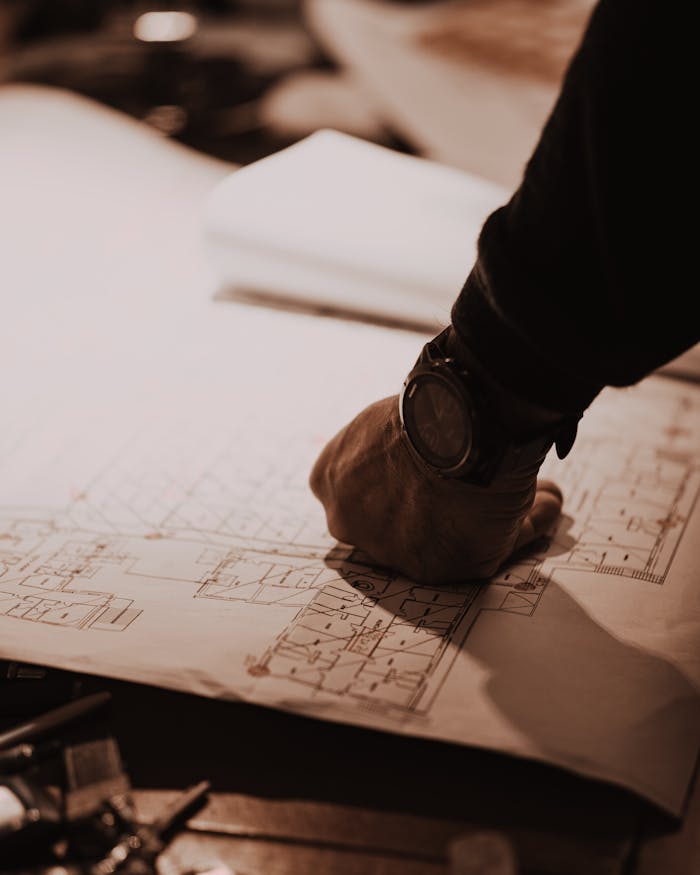
Digital Floor Plan from an Old Paper Drawing – A Heating System Project
Floor plan digitization converts a physical drawing — paper, scan, or photograph — into a professional digital file that engineers and architects can work with directly. For older properties with paper-only documentation, this conversion is often the fastest and most affordable way to start a construction or renovation project.
This case study describes a real project where an old paper floor plan was converted into a DWG file for a heating system design.
Key Facts
– A DWG file is a vector-based CAD format used by AutoCAD and similar engineering software — it can be edited, scaled, and layered with technical designs
– 80% of architects now use design software for their projects (OpenAsset, 2024)
– Hiring an architect to survey and redraw a floor plan costs $2,000–$20,000 in the US, or EUR 80–100/hour in Western Europe (HomeGuide, 2026)
– Over 80% of top municipalities require digital permit submissions (ScienceDirect, 2022)
– Replanera delivered this project in 2 business days — DWG, PDF, and PNG included in one fixed price
The Problem: A Heating Project Without Usable Documentation
The client was a property owner planning a complete heating system upgrade for a mid-century apartment. A proper heating system design requires an accurate floor plan. The engineer needs room sizes, wall positions, and door and window locations to calculate heat loads, pipe routes, and radiator placements.
The property had an original floor plan from the 1970s. It was a pencil drawing on large-format paper, partially faded, with some dimensions worn away. It had never been digitized.
The heating engineer could not use it directly. He needed a DWG file — a format he could open in AutoCAD, overlay his pipe routing design on, and submit as part of the project documentation.
The Process: From Paper to DWG
The client photographed the original drawing under good lighting. A phone camera was sufficient. He uploaded it to Replanera along with a few confirmed measurements for the sections where the original was unclear.
Step 1: Assessment and Clarification
We reviewed the uploaded photo and identified two areas where dimensions had worn away. A short email exchange with the client confirmed those measurements. No site visit was needed. The client measured those two walls with a tape measure during a normal visit to the property.
Step 2: Digitization
We rebuilt the floor plan from scratch in CAD software. The original paper plan served as the structural reference. The confirmed dimensions served as the source of all measurements. This is not a tracing process — it is a professional redraw that produces a clean, accurate, editable file.
Step 3: Delivery
The finished floor plan was delivered in three formats:
- DWG — for the heating engineer to work with directly in AutoCAD
- PDF — for the building permit documentation
- PNG — for the project folder and client records
Turnaround: 2 business days from the time confirmed measurements arrived.
The Result: A Project That Could Proceed
The heating engineer received a DWG file he could work with immediately. He overlaid the pipe routing design on the floor plan, adjusted for the actual room dimensions, and submitted the complete documentation to the building authority.
Without the digital floor plan, the project would have needed either:
- A professional measurement survey of the apartment — several hundred euros, several days wait
- Re-engineering of the heating design from scratch after the survey
Neither happened. The digitization cost a fraction of either alternative and took less time than survey scheduling alone.
Getting a Floor Plan Digitized vs Other Options
| Option | Typical Cost | Turnaround | Output Formats | Editable in CAD |
|---|---|---|---|---|
| Digitization service (Replanera) | Area-based fixed price | 1–3 business days | JPG, PDF, DWG | Yes |
| Architect redraw | $100–250/hour (US), EUR 80–100/hour (EU) | 1–4 weeks | DWG | Yes |
| Professional property survey | $300–1,000+ | 3–10 business days | Varies | Sometimes |
| Scanning the paper plan | Free–$50 | Immediate | JPG/PDF (raster only) | No |
| DIY floor plan software | $0–38/floor | Hours of your time | App-specific formats | Limited |
Sources: HomeGuide architect costs (2026), Angi architect pricing, RoomSketcher pricing
Why Old Paper Plans Are Not Enough for Modern Projects
Paper drawings have a fundamental limitation: they cannot be edited, layered, or submitted electronically. In modern construction workflows, everything is digital. A project that starts with a paper document faces repeated friction:
- Scanning produces raster images — these cannot be edited, rescaled accurately, or overlaid with engineering drawings
- Paper cannot be submitted to digital permit systems — most building authorities now require DWG or PDF files through online portals
- Dimensions on paper cannot be verified computationally — CAD software can calculate areas, check proportions, and flag inconsistencies
- Paper degrades — the older the building, the more likely the plan is faded, torn, or missing sections
The global CAD market is projected to reach $19.15 billion by 2032 (Fortune Business Insights, 2024). The construction industry has moved to digital workflows. Paper plans are a bottleneck.
When Should You Convert an Old Plan?
You should consider digitizing an old paper floor plan when:
- You are planning any construction, renovation, or system upgrade that requires project documentation
- You need to apply for a building permit
- Your homeowners’ association needs updated records
- You are selling a property that has only a paper floor plan
- You want a reliable reference document for the building’s current state
The best time to digitize is before you actually need the file urgently. Planned conversions always go more smoothly than emergency requests.
What This Service Cannot Do
Floor plan digitization works best when the source material has legible room shapes and at least partial dimensions. There are situations where a digitization service is not the right solution:
- No measurements at all and no access to the property — if dimensions cannot be confirmed from any source, the plan cannot be drawn accurately
- Structural engineering calculations — we produce accurate floor plans, not load-bearing assessments or engineering certifications
- 3D modelling — our output is 2D floor plans in JPG, PDF, and DWG; we do not produce 3D renders or BIM models
If your project requires any of these, an architect or structural engineer is the right choice. For accurate 2D floor plans from existing drawings, digitization is faster, simpler, and more affordable.
What You Need to Get Started
To convert an old paper floor plan to digital, you need:
- A clear photo or scan of the existing plan — a phone camera in good light is sufficient
- Confirmed dimensions for any unclear sections — a tape measure and 20 minutes is usually enough
- The intended use of the finished plan — so we deliver the right format and level of detail
Upload your drawing at the Replanera guide page and get an instant price estimate. If you have questions before uploading, contact us — we respond the same day.
Frequently Asked Questions
Q: Do you work with very old drawings — from the 1960s or earlier?
A: Yes. The age of the drawing is not the issue. Legibility and available dimensions are what matter. Older drawings often need a bit more clarification, but they are very workable.
Q: Can you digitize a plan for a multi-storey building?
A: Yes. Each floor is treated as a separate plan. Pricing is based on total floor area across all floors.
Q: My heating engineer needs the DWG file in a specific AutoCAD version. Can you do that?
A: Yes. We deliver DWG files in different AutoCAD versions. Mention the required version in your order notes.
Q: What if I cannot get access to the property to measure the unclear sections?
A: We do our best with what is legible. If certain dimensions are genuinely unconfirmable, we mark them as approximate and note it in the file. For construction projects where precision matters, we recommend confirming dimensions before the project starts.
Q: Can you also produce an as-built drawing after renovations?
A: Yes. If you have measurements of the renovated state, we produce an updated floor plan reflecting the current condition. This is useful for permit closeouts and building records.
Q: How does your pricing compare to hiring an architect?
A: Architect hourly rates range from $100–$250/hour in the US and EUR 80–100/hour in Western Europe (HomeGuide, 2026). Replanera uses fixed area-based pricing. For a standard apartment, the cost is typically a small fraction of an architect’s fee — and delivery is 1–3 business days, not weeks.
Need a floor plan for a construction or renovation project? Upload your drawing here or view our full services.
Related: 5 Common Problems with Old Floor Plans and How to Fix Them | Risk-Free Floor Plan Service – Fixed Pricing and Free Revisions

